
Guides
How to Delete Your Personal Data From a Car Before Selling I
How to Delete Your Personal Data From a Car Before Selling It

A modern car remembers more about you than most people realize: the phone contacts you synced, the addresses you drove to, your call history and sometimes the code to your garage door. Before you hand over the keys, you need to remove all of it in the right order: unpair phones, clear navigation, log out of apps, remove the car from the manufacturer’s account, and only then run a factory reset. This guide walks through each step, how to check that it worked, and where it fits in the sale. If you are about to list your car on CarPulse, do this first, so that the buyer gets a clean car and you keep your privacy.
TL;DR
- A car can store contact lists, navigation history, call and text logs and garage door codes, and the next owner could access them.
- Order matters: unpair devices, delete your profile, clear Home and Work addresses, log out of apps, remove the car from the manufacturer’s app, then factory reset.
- A factory reset on its own may not be enough, so check the phone, navigation and camera menus one by one afterward.
- Do it before the test drives and before the ownership transfer, and keep a short record of what you cleared.
Table of Contents
- What your car stores about you
- Before you start: preparation
- Step-by-step: wiping the data
- How to confirm it worked
- Your rights if you cannot delete something yourself
- Where this fits in the sale
- Photos, including 360 views
- Listing your car on CarPulse
- Our perspective
- FAQ
- Sources
What your car stores about you
The head unit (the screen in the dashboard) works like a small computer. Every time you connect your phone, it can copy information to its internal memory. According to Chase’s auto education team, the contact list (names, numbers, emails) can stay in the car’s memory even after the Bluetooth connection is cut. Navigation saves destinations and frequent stops, which together map your daily routine. Call and text logs add a communications profile, and an integrated garage door opener remembers the access code to your home.
The Dutch data protection authority gives a similar list for connected vehicles: contacts imported from the phone, automatic Bluetooth and Wi-Fi connections, navigation addresses, details of the last trip, driving-style data, memory cards left in the car, and streaming or manufacturer app accounts. It also notes that dealers and manufacturers may keep data on their own servers, which is why wiping the screen is only part of the job.
The most sensitive items are usually the Home and Work presets. Together they tell a stranger where you live, where you spend your days and when the house is empty.
Before you start: preparation
A few minutes of preparation prevents most mistakes.
- Park the car and keep it running. Some systems will not complete a reset otherwise. Ford, for example, says the vehicle must be parked and running for a SYNC master reset.
- Disconnect everything. Remove USB sticks, SD cards and any phones. On some Ford systems, USB and Bluetooth devices and SD cards should be disconnected before the reset.
- Find the owner’s manual. Chase points out that some models need a specific button sequence to clear protected memory, and the menu names differ by brand. If the paper manual is gone, the manufacturer’s website usually has a PDF.
- Have your phone and manufacturer account ready. You will need to log in to confirm some deletions.
- Note what you deleted. Write down the date and the steps. A buyer who asks later will get a clear answer.
Also remember the car is not only a screen. Empty the glove box, door pockets, center console, trunk and the space under the floor mats. GM Financial’s checklist adds toll tags and items tucked behind the visors. Take out the garage or gate remote clipped to the visor and any dashcam memory card.
Step-by-step: wiping the data
1. Unpair your phone and delete its profile
Go to the Bluetooth or connectivity menu and remove every paired device, yours and your family’s. Then delete the phone profile as a separate action, because that is what erases call logs, contacts and texts from the car, as Chase’s checklist explains. Unpairing from your phone’s side alone does not do it.
On your phone, also delete the car from the Bluetooth device list, so the phone does not try to reconnect to the next owner’s car.
2. Clear navigation and saved places
Delete Home, Work, favorites, recent destinations and regular trips. On Toyota systems in the UK, the path in the owner guide is Setup, General, Delete personal data, Delete, Yes, and the system confirms when all data has been deleted. Other brands use different names, but look for “personal data,” “privacy” or “navigation settings.”
If your car has Google built in, you can open Settings on the screen, tap System, then Reset options, then delete all data. Google’s own help page describes this path for cars with Google built in.
3. Remove driver profiles and keys
Many cars keep separate driver profiles with seat positions, saved radio stations and linked accounts. Delete each one. On Toyota, this is done with the profile bin icon. If your car uses your phone as a key (common on electric vehicles), remove the phone key from the lock settings too.
4. Log out of apps and streaming services
Music, maps and weather apps inside the car may use login tokens that keep you signed in even after the ignition is off. Chase notes that this is why logging out is a separate step from the factory reset. The Dutch authority advises removing the account in the app first and then the app itself. Remove any saved payment cards or banking details too. Consumer Reports recommends removing credit card and banking details from car-linked apps.
5. Remove the car from the manufacturer’s app and connected services
This is the step most sellers miss. Many cars have a built-in cellular connection that reports location and status to the manufacturer. PrivacyOn calls deactivating these services the most-missed and possibly most important step, because they can keep transmitting even after the sale.
Toyota’s guide makes two points that apply broadly. First, removing a profile on the head unit does not remove it from the app, so both must be done. Second, deleted data cannot be retrieved afterward, so make sure you have copied anything you want to keep (for example, saved routes) before you delete it.
In practice: open the brand’s app, find the vehicle, choose to remove it from your account, and cancel any subscription tied to the VIN (the 17-character vehicle identification number). If the app has no such option, contact the brand’s importer or an authorized service center in Albania and ask them to detach the car from your account.

6. Run the factory reset
Only now do the reset. Consumer Reports says the option is usually under settings, account information or profile menus, or in the owner’s manual. PrivacyOn gives the typical path as Settings, System, Reset or Restore Factory Settings, which should erase contacts, call history, message caches and personalization. It also warns that a reset alone is not always comprehensive, which is why the earlier steps come first.
Ford’s description of its master reset shows what to expect: it erases call history, text messages, paired phones, navigation favorites, personalized keyless entry codes and modem activation. Some systems reboot several times, so do not interrupt it. If a Tesla is the car you are selling, expect to log in and confirm before the reset starts.
How to confirm it worked
Do not trust the “reset complete” message alone. Consumer Reports’ expert advises double-checking afterward that phone messages, call logs, texts and camera footage are gone, by opening the phone, navigation and camera menus one at a time. Use this quick test:
| Check | What you should see |
|---|---|
| Bluetooth menu | No paired devices |
| Phone menu | Empty contacts, call log and messages |
| Navigation | No Home, Work, favorites or recent destinations |
| Apps and accounts | Signed out, no saved cards |
| Garage door opener | No programmed buttons |
| Camera or dashcam | No stored footage |
| Manufacturer app | The car no longer appears in your account |
If any item is still there, repeat that step, or look it up in the manual.
Your rights if you cannot delete something yourself
Sometimes the data sits on a manufacturer’s or dealer’s server, and you cannot delete it from the screen. In the EU, the GDPR gives you a right to erasure against the company that holds it. Albania has its own data protection framework: Law no. 124/2024 on the protection of personal data, published by the Commissioner’s office, includes the right to correct or erase personal data. If a manufacturer’s or dealer’s office in Albania does not respond, you can write to the company and, if needed, to the Commissioner for the Right to Information and Data Protection.
Where this fits in the sale
Privacy cleanup is one task among several. A sensible order:
- Wipe the data (this guide), before anyone sits in the car.
- Gather documents and check the registration status. Our guide to car registration in Albania covers it.
- Be honest about mileage. See what odometer disclosure rules mean in Albania.
- Photograph and list the car.
- Complete the ownership transfer steps with the buyer.
If you are the buyer, you can run the same checks in reverse. Open the Bluetooth menu, navigation and app settings of the used car and make sure nothing from the previous owner is left. A car that still holds someone else’s contacts or accounts was not prepared properly. Our article on what buyers can demand on a used car explains how to raise it with the seller.
Photos, including 360 views
Once the car is clean inside, photograph it. Do it after the wipe, so no personal screens, addresses or documents appear in interior shots. Turn off the navigation screen or show a neutral home screen.
A 360-degree exterior spin is a series of photos around the car that the viewer can rotate. According to CarCutter, a spin can be generated from just four standard photos (front, rear, left and right) taken with a regular camera or smartphone. Their quality checklist suggests testing on mobile and desktop and confirming that the media loads in under three seconds on 4G. Whether a listing supports an interactive spin depends on the platform, so a clean set of still photos from every angle remains the base of a good listing: front, rear, both sides, all four corners, dashboard, seats, trunk, engine bay, wheels and any damage.

Listing your car on CarPulse
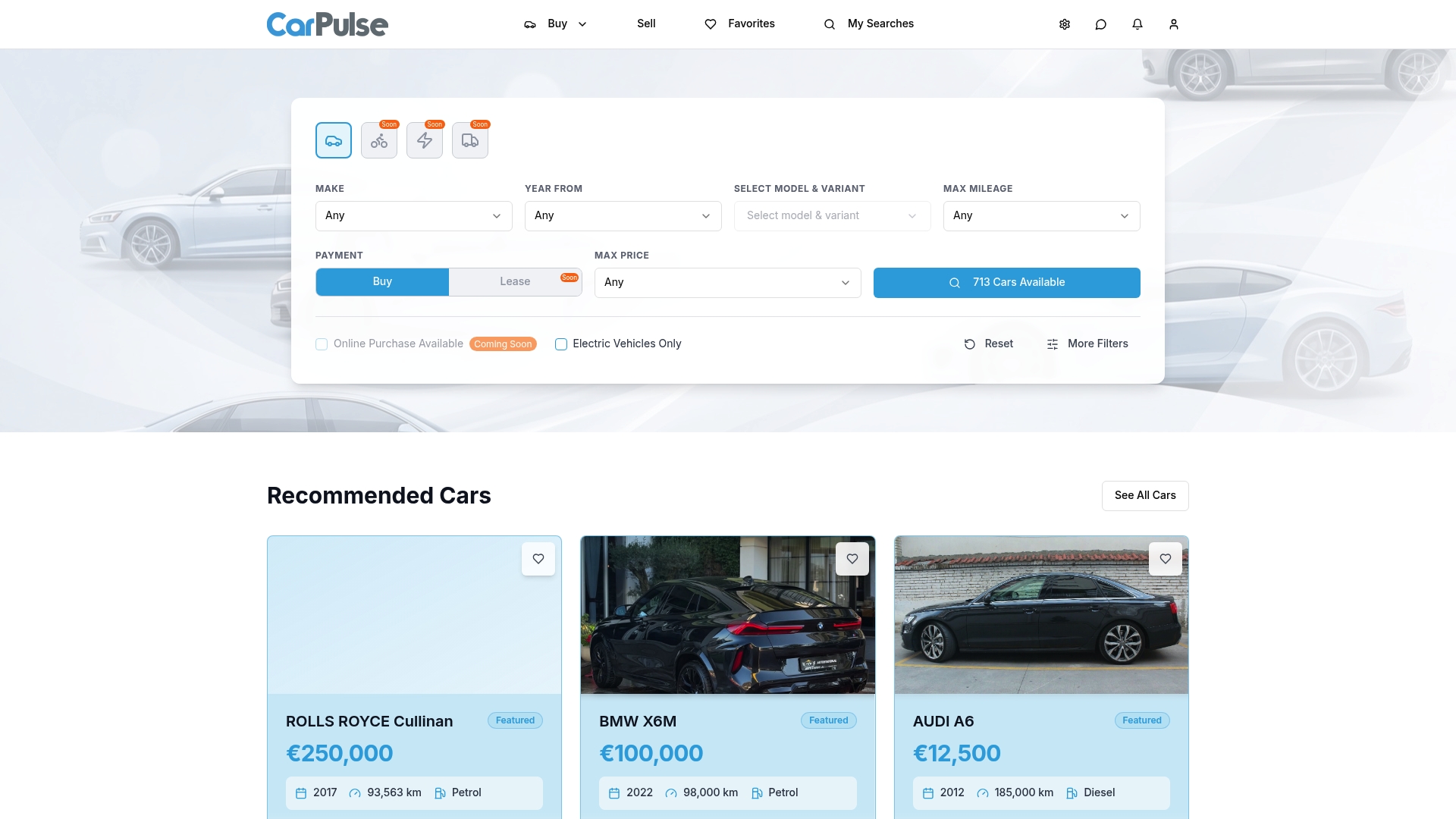
Once the car is wiped and photographed, you can list it. On CarPulse, private sellers and verified dealerships can list vehicles through VIN-based listing, which fills in the vehicle details automatically from the VIN number. Buyers browse and contact sellers without paying. Seller plans are Basic at 14.99 € per month and Premium at 29.99 € per month, and you can see both on the pricing page. You can also browse cars, motorcycles, vans and more to see how similar vehicles are presented.
Our perspective
A car sale in Albania is still often handled with a handshake and a set of keys. We think the keys should come with more: a car that has been cleaned of personal data, honest mileage and documents in order.
That is why we built CarPulse around verified sellers and VIN-based listings, where the vehicle details come from the number itself instead of being typed in by hand. A buyer who sees consistent data and a seller who has prepared the car properly start the conversation with trust.
Privacy is part of that preparation. When you wipe the car before you list it, you protect yourself, and you show the buyer that the car has been looked after. We recommend doing it first, every time.
Henri
FAQ
Is a factory reset enough to remove my data from the car?
Not always. A reset should erase contacts, call history, messages and personalization, but PrivacyOn warns it is not always comprehensive. Unpair devices, clear navigation and log out of apps first, then reset, then check each menu.
Do I need to remove the car from the manufacturer’s app?
Yes, if the car is connected to one. Removing your profile on the screen does not remove it from the app, as Toyota’s owner guide states. Do both, and cancel any subscription tied to the car.
What if I cannot find the reset option?
Check the owner’s manual first. Menu names differ by brand and model, and some need a specific button sequence. If you cannot find it, an authorized service center for your brand can show you where it is.
Should I wipe the car before or after photographing it?
Before. That way no contacts, addresses or other personal details appear in interior photos, and the car is ready for any test drive that follows.
Sources
- Chase: How to Clear Your Data When You Sell a Car
- Autoriteit Persoonsgegevens: Selling a connected vehicle
- Ford: SYNC master reset
- GM Financial: Wipe your personal data from a vehicle in 7 steps
- Toyota UK: How to delete your personal data on navigation
- Google: Cars with Google built-in, privacy and data
- Consumer Reports: How to Clear Your Personal Data From a Car
- PrivacyOn: How to Protect Your Privacy When Selling Your Car
- Albania Law no. 124/2024 on the protection of personal data
- CarCutter: How to Add 360 Spin to Car Listings