
Guides
Set a Saved Car Search in Under a Minute on CarPulse Albania
Set a Saved Car Search in Under a Minute on CarPulse Albania

Saving a car search stores your chosen filters, make, model, year, price, and mileage, so the platform sends you an alert the moment a matching listing appears, leveraging best practices in automotive marketing and workflows outlined by DKMEDIA. That single step turns hours of manual scrolling into a few notifications a day. Platforms like CarPulse build this feature directly into their apps, letting you manage every saved search from your account.
TL;DR:
- Using multiple narrowly focused saved searches helps buyers act faster by reducing irrelevant notifications and increasing the chance of quick responses.
- Proper setup requires verifying notification permissions, filtering settings, and alert frequency to ensure alerts arrive promptly and without delay.
- Editing saved searches usually involves deleting and recreating them, as some platforms do not support direct modifications once saved.
- Naming each search according to its specific purpose enhances quick identification and better management of multiple alerts.
- Combining saved searches with tools like VIN decoding and favorites enhances listing evaluation and improves overall buying efficiency.
Table of Contents
- What the “save search” feature does and why it matters
- How to create and save a vehicle search step by step
- How to manage, edit, and delete saved searches
- Troubleshooting notifications and common pitfalls
- Best practices for setting effective saved searches
- How CarPulse puts saved searches to work for buyers
- When saved searches become a competitive advantage
- Get started with CarPulse: set a saved search and enable instant alerts
- Sources
- FAQ
What the “save search” feature does and why it matters
A saved search is a snapshot of your filters that keeps running in the background after you close the app. Instead of repeating the same search every day, the platform checks new listings against your criteria and pushes a notification when something matches.
On CarPulse, that alert can arrive as a push notification or an email, depending on what you choose during setup. The filters behind the alert usually cover:
- Make and model, so you only hear about the vehicle types you actually want.
- Year range and maximum mileage, which filter out worn-out or overpriced units.
- Price ceiling and fuel type, useful when comparing gasoline, diesel, or hybrid options.
- Search radius, for buyers who only want listings within driving distance.
The payoff is straightforward: less manual searching, faster contact with sellers, and a shortlist that updates itself while you go about your day.
How to create and save a vehicle search step by step
Setting up a saved search takes less than a minute once you know where the filters live. The sequence is nearly identical on mobile and web, with small differences in where the save option sits.
- Open the search or listings page and set your filters first: make, model, year range, maximum mileage, and price range.
- Run the search so the results reflect those filters, then look for the Save search button, usually near the filter panel or results header.
- Sign in if the app asks you to. Saved searches are tied to your account, not your device.
- Give the search a short, specific name like “Golf under 100k km” so you can recognize it later.
- Choose your alert method, push notification, email, or both, and confirm.
On mobile apps, the save option often sits inside the filter drawer, while on web versions it typically appears as a button above the results grid. Once saved, the search moves to a dedicated section of your account, usually labeled “My searches” or “Saved searches,” where it keeps running without you having to repeat any steps.
Pro Tip: Name each saved search by its purpose, not just the model, so a quick glance at your list tells you which alert matters right now.
How to manage, edit, and delete saved searches
Once you have more than one saved search running, keeping them organized matters as much as creating them. Most platforms group them in a single view inside your account, listed on CarPulse’s My Searches page.
- Open “My searches” or “Saved searches” in your account to see every active alert in one place.
- If the platform does not support editing a saved search directly, delete it and create a new one with updated filters instead of trying to force a change.
- Duplicate a search when you want to test two versions, for example the same model with two different mileage caps, without losing the original.
- Pause or delete a saved search the moment it stops being useful, which immediately stops future notifications.
This pattern, save, review, delete and recreate when needed, mirrors what other classifieds platforms recommend when editing options are limited. Treat your saved searches like a small filing system rather than a permanent list, and prune it whenever your buying goals shift.
Troubleshooting notifications and common pitfalls
Alerts that never arrive are almost always a settings problem rather than a platform failure. Work through these checks in order before assuming something is broken.
- Check your phone’s notification permissions for the app and confirm the in-app notification toggle is switched on.
- For email alerts, verify the address on file is correct and check your spam or promotions folder.
- Review your alert frequency setting, since some platforms batch alerts hourly or daily instead of sending them instantly.
- Tighten your filters if you are getting too many irrelevant results rather than too few.
- Check battery-saver or background-refresh settings on your phone, since restricting background activity can quietly block push notifications from reaching you.
Pro Tip: If push alerts stay silent after checking permissions, send yourself a test listing that matches your saved filters to confirm the notification pipeline actually works.
Best practices for setting effective saved searches
A few habits separate a useful saved search from one you end up ignoring. Following a simple structure keeps alerts relevant and actionable.
- Create separate searches for separate goals, a daily commuter car and a weekend project car deserve their own alerts rather than one broad search covering both.
- Be specific with model, year range, and maximum mileage. Specific filters reduce noise far more than a wide net ever will.
- Check alerts as they arrive instead of letting them pile up, since desirable listings in active markets tend to disappear quickly.
- Before contacting any seller, run a quick checklist: photo count, VIN check, and whether the price sits inside your saved range.
Buyers who keep two or three tightly defined searches running tend to act faster on good listings than those running one broad search that buries the good matches among the irrelevant ones.
How CarPulse puts saved searches to work for buyers
CarPulse builds saved searches around the same core idea covered above, but pairs the alert with tools that make each notification more useful. Alongside saved searches, some platforms support bookmarking favorites for side-by-side comparison and VIN decode features that pull factory specs and history into the listing.
That combination matters because an alert is only as good as the listing behind it. VIN decoding integrated with listings gives you factory details before you ever message a seller, and verified-dealer listings cut down on the guesswork that usually follows a promising alert. Readers who want to see the exact account flow, including where saved searches and favorites live in the app, can check the CarPulse listing guide for screenshots of the seller side of the platform.

When saved searches become a competitive advantage

Speed and filter discipline decide who gets to a good listing first. A saved search only pays off when your filters are tight enough that every alert is worth opening, and when you actually check your phone instead of letting notifications stack up unread.
The buyers who struggle most are the ones running one broad search for everything. Two or three focused alerts beat one wide net every time.
— Henri
Get started with CarPulse: set a saved search and enable instant alerts
Some vehicle marketplaces integrate features allowing buyers to save searches, get alerts, check VIN details, and contact sellers without leaving the app.
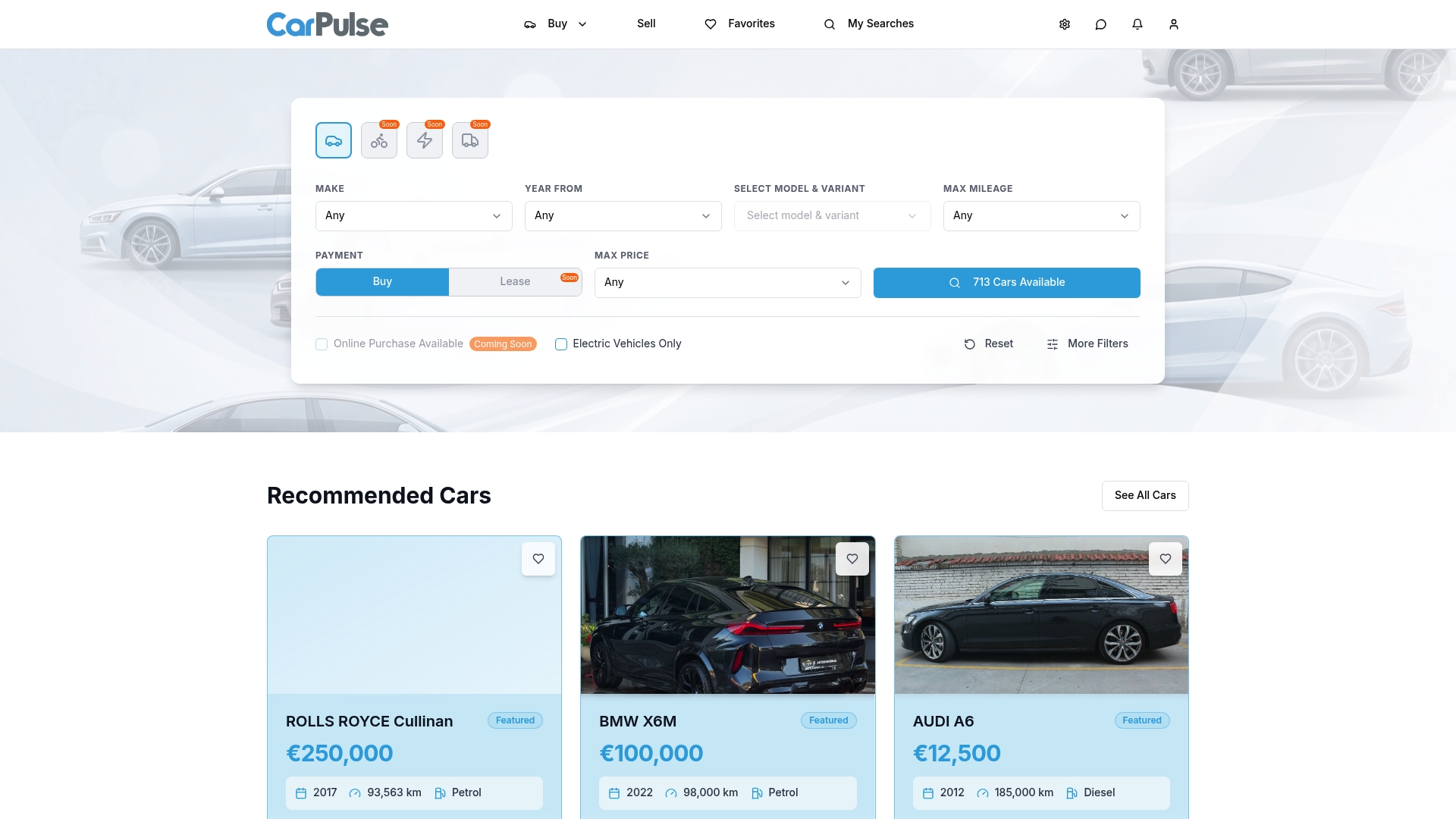
- Save searches with filters for make, model, price, year, mileage, and fuel type.
- Receive push or email alerts when matching listings appear.
- Bookmark favorites and access VIN-based vehicle information before contacting sellers.
- Browse listings from private sellers as well as verified dealers.
Sellers looking to list a vehicle can compare the Basic and Premium plans to see which fits their listing needs. Buyers can head to the CarPulse homepage now, set one focused search, and turn on push notifications before the next good listing goes up.
Sources
FAQ
What does saving a car search actually do?
A saved search stores your chosen filters, such as make, model, price, and year, and keeps running so the platform can alert you when a new listing matches. On CarPulse, that alert arrives as a push notification or email depending on your settings.
Why am I not getting notifications for my saved search?
The most common causes are disabled notification permissions, a full spam folder, or background-refresh restrictions on your phone. Checking your device notification and privacy settings usually resolves the issue.
Can I edit a saved search after creating it?
Some platforms allow direct edits, while others, as noted in saved-search help documentation, require you to delete the old search and create a new one with updated filters. If editing is not available, deleting and recreating takes less time than troubleshooting.
How many saved searches should I keep active at once?
Keeping two or three focused searches, each built around a specific buying goal, tends to work better than one broad search covering everything. Specific filters reduce irrelevant alerts and make each notification worth opening.
Does CarPulse offer saved searches and alerts?
Yes, CarPulse supports saved searches with push and email alerts, alongside bookmarking favorites and VIN-based vehicle details for a fuller picture before contacting a seller.