
Guides
Setting Up Your Llogari Shitësi Makine for Fast, Trustworthy
Setting Up Your Llogari Shitësi Makine for Fast, Trustworthy Sales

A llogari shitësi makine, or seller account, is the workspace where private owners and verified dealerships build VIN-based listings, manage inventory status, and receive buyer leads. The first move is simple: create your account, verify your details, then enter a VIN so the platform autofills the vehicle’s specs instead of you typing them by hand.
From there, a handful of details separate a listing that sells fast from one that sits ignored:
- VIN autofill to lock in make, model, year, trim, and engine
- At least 12 high-quality photos, starting with a three-quarter front shot
- Accurate mileage and price, plus honest notes on any damage or mechanical issues
- A Vehicle History Report attached before a buyer has to ask for one
The sellers who move cars fastest treat their account like a storefront, not a filing cabinet: current status, real photos, and no surprises once a buyer shows up.
Key Takeaways
A seller account works best when the VIN stays the single source of truth across listings, feeds, and buyer communication.
| Point | Details |
|---|---|
| Choose the right account type | Private sellers use single listings; verified dealers need bulk feeds and store codes. |
| Lead with VIN autofill | Paste the VIN first, then verify the pulled specs before publishing. |
| Disclose and document | Attach a Vehicle History Report and note any damage to shorten the sales cycle. |
| Automate at scale | Dealers should use CSV/TSV feeds over SFTP with validation, not manual entry. |
| Start with CarPulse | Verify your account, connect VIN data, and manage leads from one dashboard. |
Table of Contents
- What Is a Seller Account and Who Needs One?
- How Do You Create and Publish a Car Listing?
- How Do You Manage Listings and Convert Buyer Leads?
- What Do Dealers Need for Bulk Feed Uploads?
- How Do Listing Fees and Billing Settings Work?
- Why Choose CarPulse for Your Seller Account?
- What Security and Privacy Protections Apply to Seller Accounts?
- How Do You Handle Account Suspension or Disputes?
- What Are Best Practices for Managing Multiple Seller Accounts?
- How Can You Optimize Your Seller Profile for Trust and Sales?
- What’s the Best Way to Respond to Buyer Inquiries?
- Ready to Create Your Seller Account?
- Frequently Asked Questions
- Sources
What Is a Seller Account and Who Needs One?
Every seller on Carpulse falls into one of two account types, and picking the right one from day one saves you from migrating listings later. A private seller account is built for someone selling one or two vehicles: single listings, pay-per-listing options, and a straightforward setup that takes a few minutes. A verified dealer account is built for volume: bulk feeds, SFTP uploads, a dedicated store code, and a dashboard that tracks every VIN across your lot.
Verification matters more for dealers than the paperwork suggests. A verified store code unlocks better placement in search results, feed diagnostics that flag bad data before it goes live, and a dashboard view of every listing’s status at once. Private sellers skip most of that friction because they’re not managing dozens of vehicles at once.
The upgrade trigger is usually inventory volume. If you’re listing more than a handful of vehicles a month, manually re-entering data becomes the bottleneck, and that’s exactly when bulk feeds start paying for themselves.
- Private seller: single listings, manual entry, pay-per-listing fees
- Verified dealer: bulk feeds, store code, dashboard, feed diagnostics
- Multi-location dealership: one group account with store codes per lot
Pro Tip: Treat the VIN as your single source of truth for each vehicle. If you re-list a car under a new VIN entry instead of updating the original, you end up with duplicate listings competing against each other for the same buyer.
How Do You Create and Publish a Car Listing?
Publishing a listing that actually converts follows a specific order, and skipping steps is how sellers end up with mismatched trim data or thin buyer interest.
- Log in, complete your seller profile, and verify your identity and contact details.
- Paste the VIN into the listing form. This autofills specs like make, model, year, trim, engine, and drivetrain, but check the pulled data against the actual vehicle before you publish. Factory options sometimes get missed.
- Add your price, current mileage, and any trim-specific extras, then write condition notes that disclose mechanical or cosmetic issues instead of glossing over them.
- Upload your photo set. Twelve or more images is the baseline for a competitive listing, and the order matters as much as the count.
- Attach a Vehicle History Report and any service records you have on hand.
- Preview the listing on both mobile and desktop, confirm visibility settings, and publish.
Your photo checklist should cover:
- Three-quarter front exterior shot (lead image)
- Both side profiles and the rear
- Full interior, dashboard, and odometer reading
- Trunk or cargo area
- Close-ups of any existing damage or wear
Following a similar stepwise workflow with registration lookup, competitive pricing, and a full photo set is standard practice across serious listing platforms, and it’s the difference between a listing that gets clicks and one that gets ignored.
Pro Tip: Run a quick VIN checksum before you hit publish. A single digit error can pull the wrong trim or engine data, and buyers who spot the mismatch on a test drive rarely come back.
How Do You Manage Listings and Convert Buyer Leads?
An active listing needs upkeep, not just a one-time publish. Keep the status field honest: in_stock, pending, or sold. Deleting a sold listing instead of updating its status creates gaps in your history and confuses anyone tracking your account’s activity.
Route every inbound buyer message into one CRM or dashboard, and map each lead back to its VIN or stock ID. Without that link, you lose track of which inquiry belongs to which car the moment you’re juggling more than a few conversations. Using VIN and stock ID tokens in your lead forms and destination links keeps attribution intact even when a lead comes through a third-party channel.
A response workflow that works in practice looks like this:
- Acknowledge the message within a few hours, not days
- Ask qualifying questions (financing, trade-in, timeline)
- Schedule a test drive once basic interest is confirmed
- Walk through paperwork steps before the buyer shows up, not after
Pre-filled inquiry forms that already carry the VIN save buyers a step and give you cleaner data on the other end. Clear calls to action, like “book a test drive” or “request the history report,” convert better than a generic contact button.
Pro Tip: Set up alert emails for new messages and run a daily reconciliation pass to mark sold or removed units. A five-minute daily check prevents a week’s worth of stale listings from piling up.
What Do Dealers Need for Bulk Feed Uploads?
Dealers managing more than a handful of vehicles shouldn’t be entering each one by hand. Manual posting at that scale invites errors and listing suppression, which is exactly what automated inventory feeds exist to prevent. The standard method is a CSV or TSV file uploaded to an SFTP dropbox, submitted as a single complete inventory file rather than scattered fragments.
| Field | Requirement |
|---|---|
| Store code | Required, identifies the dealership location |
| Dealership name and address | Required, must match verified account details |
| VIN | Required, serves as the canonical vehicle key |
| Stock ID | Required, links feed rows to internal inventory |
| Title, price, mileage, condition | Required, core listing data |
| Primary image URL | Required, at least one clear image per vehicle |
| Google Place ID | Recommended, improves location matching |
The workflow itself is straightforward once the file is structured correctly:
- Build your feed file with every required field populated, no blanks in mandatory columns.
- Submit a small sample file first and run it through the platform’s validation tool.
- Review the diagnostic feedback and fix flagged rows before scaling to your full inventory.
- Upload the complete feed to your SFTP dropbox on a consistent daily cadence.
- Monitor email alerts for processing failures and correct them the same day.
Starting with a test file before scaling to your entire inventory catches formatting errors early, when they’re a five-minute fix instead of a lot-wide listing outage.
Pro Tip: Add your dealer contact email to the account page so feed processing notifications land somewhere your team actually checks, not a generic inbox nobody monitors.
How Do Listing Fees and Billing Settings Work?
Most marketplace sellers run into one of three fee structures: pay-per-listing, a flat subscription covering a set inventory volume, or premium boosts that push a specific listing higher in search results. Which one fits depends on how many vehicles you turn over in a given month.
Your billing contact, payment method, and receipt preferences all live in the seller dashboard, usually under account settings. That’s also where you configure alerts, and this is worth setting up on day one rather than after you miss something:
- Feed processing notifications for dealers running bulk uploads
- Low-image or validation-failure warnings before a listing goes live incomplete
- Buyer message alerts so leads don’t sit unanswered for days
Dealerships running multiple locations should centralize billing under one group account and map invoices to individual store codes. That single change turns a monthly reconciliation headache into a five-minute review, especially once you’re managing more than two or three lots.
Why Choose CarPulse for Your Seller Account?
Carpulse builds its seller tools around the parts of the process that actually slow sellers down: manual data entry, unclear buyer trust signals, and scattered lead tracking. VIN autofill removes the tedious part of listing creation, while the seller dashboard keeps inventory status, messages, and feed health visible in one place.
For dealers, verification and a store code add a layer of credibility buyers notice, especially paired with attached vehicle history links and full photo sets. Private sellers get the same trust tools without the complexity a dealer feed requires.
- VIN autofill and AI-assisted pricing estimates for faster, more accurate listings
- Seller dashboard covering inventory, messages, and feed diagnostics in one view
- Dealer verification and store codes for multi-location visibility
- Mobile app access on iOS and Android for managing listings on the go
Pro Tip: If you’re unsure whether you need a dealer or private account, start with what matches your current inventory volume today. Upgrading later is a settings change, not a rebuild.
What Security and Privacy Protections Apply to Seller Accounts?
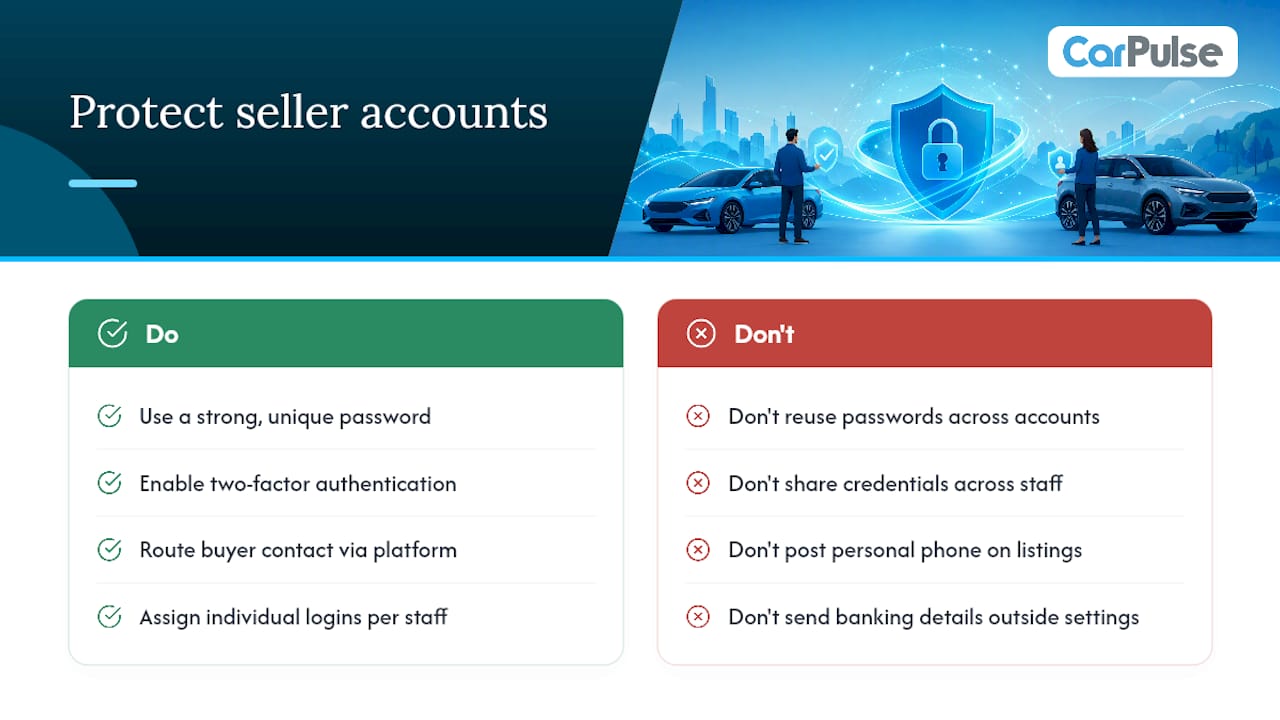
Seller accounts carry sensitive information: contact details, banking data for billing, and in a dealer’s case, an entire inventory’s worth of pricing strategy. Treating account security as an afterthought is how accounts get compromised or listings get hijacked by someone posing as the original seller.
Start with the basics that most sellers skip: a strong, unique password for your marketplace account, not one reused from an email or social login. Enable any two-factor authentication option available in your account settings, since it’s the single most effective barrier against unauthorized access even if a password leaks elsewhere.
Review what contact information is visible on your public listing versus what stays internal to the platform’s messaging system. Routing buyer contact through the platform’s own messaging tools, rather than posting a personal phone number directly on the listing, keeps a layer of separation between your public profile and your private details.
Dealers managing group accounts should assign individual logins per staff member rather than sharing one set of credentials across a team. That way, if something goes wrong, like an unauthorized price change or a listing edit nobody remembers making, there’s a clear record of who accessed the account and when.
Billing details deserve the same caution. Only update payment information through the account’s own settings page, and treat any unsolicited request for banking details outside that flow as a red flag worth verifying before acting on it.
How Do You Handle Account Suspension or Disputes?
An account suspension usually traces back to one of a few causes: repeated listing violations, feed validation failures that went uncorrected, or a buyer complaint that triggered a review. The first step isn’t panic, it’s finding out exactly why the suspension happened.
Check your account dashboard and any notification email for the specific reason given. Platforms that run automated feed validation, like the diagnostic checks dealers rely on for bulk uploads, usually flag the exact rows or fields that caused a problem rather than suspending an account with no explanation.
If the suspension stems from a data issue, correct the underlying problem before appealing. A dealer whose feed kept failing validation because of missing store codes needs to fix the feed file first. Appealing without addressing the root cause just delays the same outcome.
For disputes involving a buyer complaint, gather your side of the record: message history, listing accuracy at the time of the complaint, and any documentation like a Vehicle History Report you provided upfront. Sellers who disclosed known issues honestly in their listing description are in a far stronger position during a dispute than those who didn’t.
Reach out through the platform’s official support contact rather than creating a second account to work around a suspension. A second account tied to the same seller often compounds the original problem instead of solving it, and it can complicate any review already underway.
What Are Best Practices for Managing Multiple Seller Accounts?
Multi-location dealerships and sellers running several inventory streams face a specific challenge: keeping accounts organized without duplicating listings or losing track of which vehicle belongs where.
The cleanest structure is a single group account with individual store codes per location, rather than separate standalone accounts for each lot. This keeps billing centralized, as covered earlier, but it also means feed diagnostics and lead attribution stay consistent across locations instead of fragmenting into disconnected dashboards.
Assign a clear owner for each location’s inventory accuracy. When multiple people can edit the same store’s listings without a defined point of responsibility, status updates get missed and sold vehicles linger as “in stock” long after they’ve left the lot.
Keep VIN as the canonical key across every account and location tied to your dealership. If a vehicle transfers between lots before it sells, updating the existing VIN record rather than creating a fresh listing at the new location preserves lead history and avoids the duplicate-listing problem that confuses both buyers and your own reporting.
Run a weekly cross-check between your feed files and what’s actually live on the platform. Discrepancies between what a feed says and what a buyer sees are usually the first sign that a sync process needs attention before it causes a bigger problem.
How Can You Optimize Your Seller Profile for Trust and Sales?
A seller profile does more work than most sellers give it credit for. Buyers scan it before they even open a listing, and a thin or inconsistent profile can cost you inquiries you never even know you lost.

Complete every field available in your profile, not just the required ones. A verified dealer badge, a clear business name matching your storefront, and consistent contact details across every listing all signal to a buyer that they’re dealing with someone legitimate.
Consistency between your profile and your listings matters more than either alone. If your profile lists a location that doesn’t match the vehicles you’re posting, or your response time is inconsistent with what your profile implies, buyers notice the mismatch even if they can’t quite articulate why they hesitate.
Verified listings backed by transparency tend to close faster than listings from unverified sellers, largely because buyers spend less time second-guessing the information in front of them. That’s the entire logic behind attaching a Vehicle History Report before a buyer asks for one instead of after.
Keep your profile photo and business details current. A profile that looks abandoned, an old photo, no recent activity, stale contact info, reads as a red flag even if your actual listings are current and accurate.
What’s the Best Way to Respond to Buyer Inquiries?
Response speed and tone both shape whether an inquiry turns into a sale or goes cold. A buyer who messages five sellers and hears back from three within the hour is going to prioritize those three, regardless of who has the better price.
Acknowledge every message quickly, even if it’s just confirming you’ve seen it and will follow up with details shortly. Silence for a day or two is often enough for an interested buyer to move on to another listing.
Answer the specific question asked before adding extra information. A buyer asking about accident history wants that answer directly, not a paragraph about the car’s features that dodges the actual question. Vague or evasive answers tend to end conversations faster than a direct “yes, it was in a minor fender bender in 2023, repaired and documented” ever would.
Use qualifying questions strategically instead of jumping straight to price negotiation. Asking about financing plans, trade-in vehicles, or timeline helps you understand whether the inquiry is serious before you invest time in a back-and-forth.
Keep a written record of every conversation tied to its VIN or stock ID, since disputes and follow-ups both go smoother when you can reference exactly what was said and when.
A Short Note From the Product Team
We built the seller account around one idea: the VIN should always be the canonical truth for a listing, and feed updates should never lag behind reality. Support is available anytime you need help with feed validation or onboarding.
Ready to Create Your Seller Account?
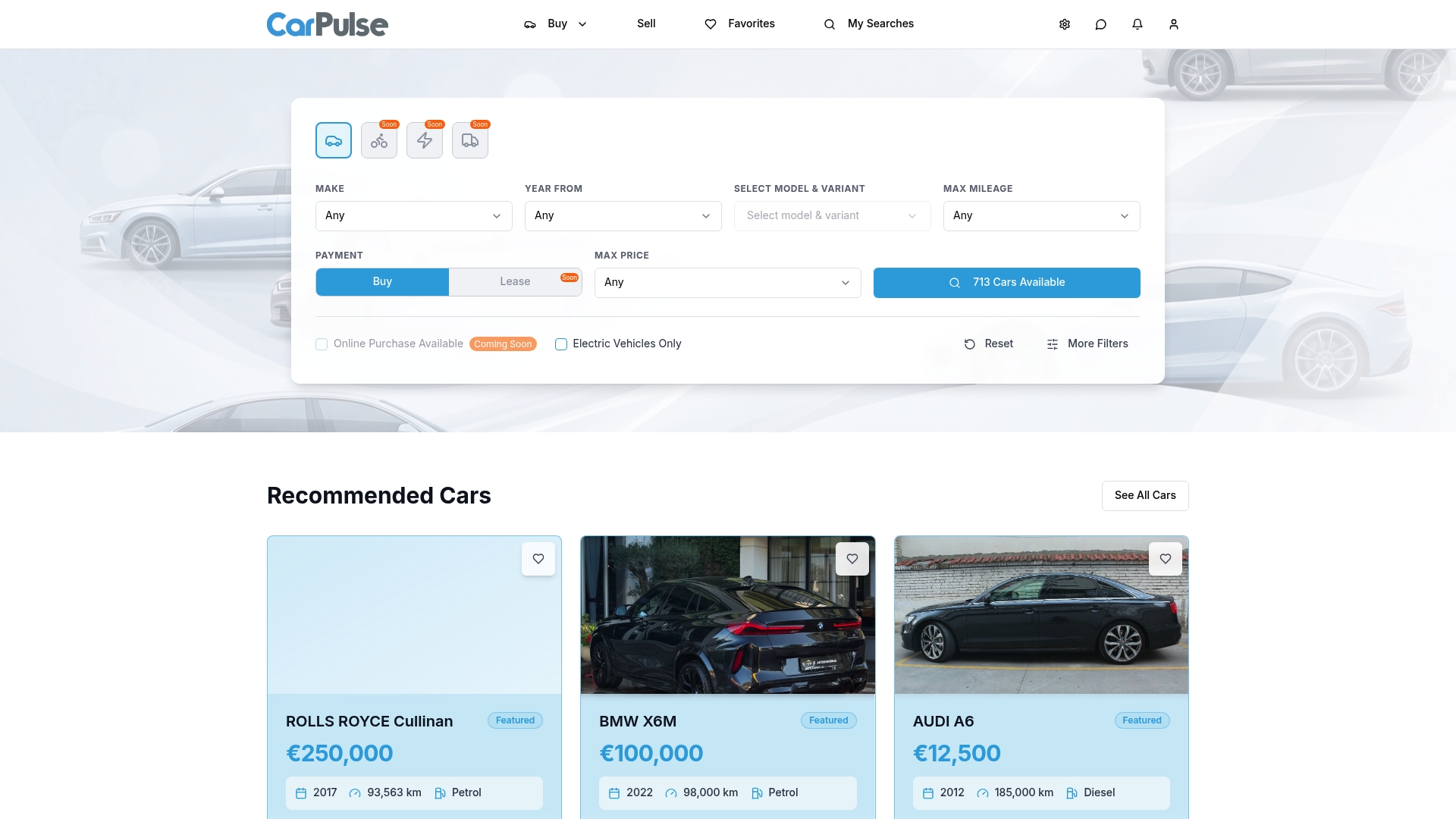
Carpulse gives you one place to build listings, manage inventory status, and track buyer leads without juggling spreadsheets or a half dozen disconnected tools. Whether you’re listing a single vehicle or running a multi-location dealership feed, the setup path is the same: verify your account, connect your VIN data, and let the platform handle the parts that used to eat your afternoon.
If you’re a dealer preparing a bulk feed, submit a sample CSV first and run it through the validation tool before scaling to your full inventory. Seller support is available to help with feed diagnostics, dealer verification, or general onboarding questions. Ready to get started? Create your seller account on CarPulse and list your first vehicle today.
Frequently Asked Questions
What is a llogari shitësi makine used for? A seller account lets private individuals and verified dealerships create VIN-based vehicle listings, manage inventory status, and receive and respond to buyer leads in one dashboard.
Do I need a dealer account if I’m only selling one car? No. A private seller account covers single listings with pay-per-listing options, and a dealer account only becomes worthwhile once you’re managing bulk inventory or multiple locations.
How many photos should a listing include? Aim for at least 12 high-quality images, starting with a three-quarter front shot, followed by interior, dashboard, trunk, and any damage close-ups.
What happens if my dealer feed fails validation? The platform’s validation tool flags the specific fields or rows causing the failure. Correct those issues in a small sample file before re-uploading your full inventory feed.
Should I delete a listing once the vehicle sells? No. Update the status to “sold” instead of deleting the record, since removing listings outright creates data gaps and complicates inventory tracking over time.
Sources
Sellers preparing their first listing or their first bulk feed benefit from working through a few reference guides before diving in.
- Feed setup | Vehicle listings on Google | Google for Developers
- How to Create a High-Converting Car Listing — Car Spot
For sellers preparing inspection details before listing, a car inspection checklist helps confirm which mechanical points to document and photograph ahead of publishing.